
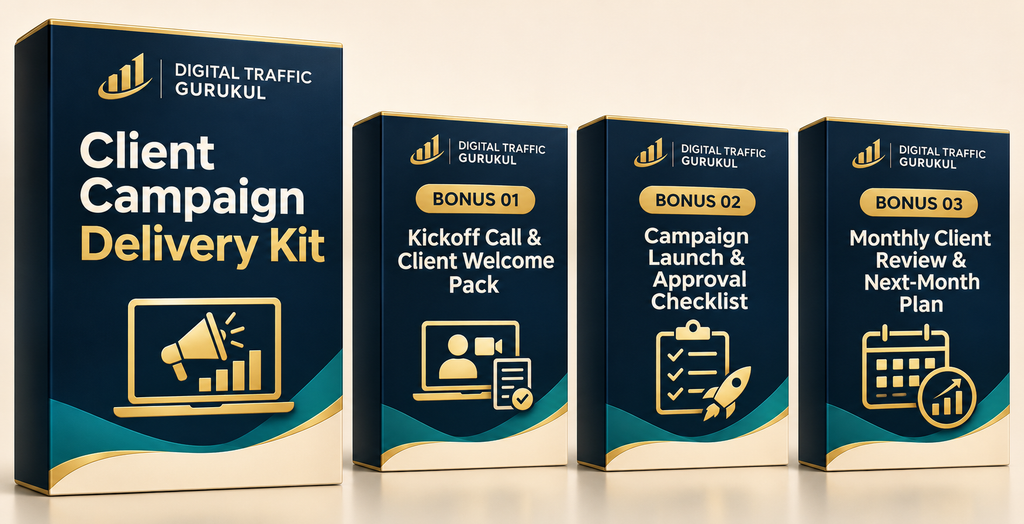
Explore the Client Campaign Delivery Kit with client onboarding templates and a 30 day campaign planner to Organise tasks, emails, approvals and client reports.
✅ 1. What Is the Client Campaign Delivery Kit?
- Winning a client is the beginning of the working relationship. You still need to collect information, agree on priorities, prepare assets, obtain approval, and explain the results. The Client Campaign Delivery Kit provides editable documents and spreadsheets for organising those steps.
- This product overview examines the supplied materials and their intended use. The kit follows a practical sequence from onboarding to a monthly review, with a fictional restaurant example showing how the documents connect.
✅ 2. Who Is This Kit For?
- Freelancers, marketing consultants, and small agencies can use the kit when a client accepts a proposal and asks what happens next. It suits people who want a consistent process for gathering information and coordinating a small campaign.
- Buyers should be comfortable editing Word documents and Excel workbooks. You will also need the skills, tools, and permissions required to implement the campaign you agree with the client.
✅ 3. What’s Included in the Client Campaign Delivery Kit?
- Client Onboarding Questionnaire & Campaign Brief. Collect the information needed to define the campaign.
- 30-Day Campaign Planner. Schedule tasks, channels, owners, deadlines, status updates, and approvals in Excel.
- Lead Magnet & Follow-Up Email Templates. Prepare the resource, opt-in copy, thank-you message, and three follow-up emails.
- Monthly Reporting Dashboard. Compare baseline, target, and actual figures, then record data sources and next actions.
- Completed Restaurant Campaign Example. Follow Harbour Fig Kitchen through planning, asset preparation, and reporting. Three additional bonuses support meetings, launch checks, and the next month’s decisions.
✅ 4. How to Onboard a New Marketing Client
- The client onboarding templates help you ask questions before creating campaign assets. Record the client’s goal, audience, offer, current results, available materials, access requirements, and approval contact.
- Ask for concrete answers. A restaurant owner who wants more weekday reservations may need a different message from one promoting private events. Confirm who can supply photos, approve claims, and answer questions about the booking process.
- Record access needs and the person responsible for arranging them. This makes dependencies visible before deadlines are agreed.
✅ 5. How to Create a Clear Campaign Brief
- Use the questionnaire answers to complete a one-page brief. Define the audience, offer, main customer action, deliverables, measurement approach, and approval owner. The brief gives both parties something specific to review before production starts.
- Keep the goal realistic and measurable. For a restaurant campaign, you might track dining-guide opt-ins and reservation-link clicks, then ask the owner whether confirmed bookings can be verified. Agree on which figures the available systems can provide.
✅ 6. How to Plan the First 30 Days of a Client Campaign
- The 30 day campaign planner breaks the month into four working weeks. A practical sequence is to gather information during week one, prepare and approve assets during week two, launch during week three, and review results during week four.
- Adjust that sequence to the client’s capacity. A delayed photo delivery or approval can affect several tasks, so record dependencies alongside the schedule.
- Include checkpoints for kickoff, content approval, launch readiness, and reporting. Each checkpoint should lead to a decision or an agreed action.
✅ 7. How to Assign Tasks, Deadlines, and Approvals
- Give every task a named owner and a specific due date. “Prepare dining-guide draft by Thursday” is easier to act on than “work on content this week.” Assign a reviewer separately when the person producing the work cannot approve it.
- Use the status and approval fields to show progress. A completed draft may still be waiting for client feedback. Recording that distinction helps you identify what is holding up publication and whom to contact.
✅ 8. How to Build a Lead Magnet for Your Client
- Start with a question the client’s audience already asks. A restaurant’s dining guide could explain menu choices, dietary enquiries, and how to reserve. Keep the resource focused enough that a reader can use it quickly.
- The editable outline gives you a starting structure. Add verified business details and ask the client to check menu descriptions, prices, availability, and other factual statements before release.
Make the final call to action to support the campaign’s main goal.
- . A dining guide might end with a clear route to the reservation page.
✅ 9. How to Write Opt-In Page and Thank-You Page Copy
- Explain what the visitor receives, whom it helps, and how it will be delivered. Keep the promise consistent with the resource itself. A short dining guide should have a description that accurately reflects its contents.
- The thank-you page should confirm the next step. Tell readers whether to check their inbox or use the displayed download link, depending on your setup.
- Test the complete journey using the client’s chosen form and email tools. Check that the promised resource arrives and opens correctly.
✅ 10. How to Create a Three-Email Follow-Up Sequence
- Email one delivers the resource. Use a recognisable sender name, a clear subject line, and an easy-to-find resource link.
- Email two adds a useful follow-up. Expand on one relevant topic, such as how to ask the restaurant about dietary requirements before booking.
- Email three invites one next step. Direct readers to the agreed action, such as viewing reservation options. Personalise all three messages with verified details and have the client approve the sequence before scheduling it.
✅ 11. What to Check Before Launching the Campaign
- Walk through the campaign as a new visitor. Open the page on a phone, submit the form, check the confirmation message, and follow the email links. Record what happened during each test.
- Check that headings, images, buttons, and form fields remain readable on smaller screens. Confirm that tracking links point to the intended destinations.
- Obtain client sign-off on the version you plan to publish. Record the approval date and any remaining changes so everyone knows what has been agreed.
✅ 12. How to Track Results With the Monthly Reporting Dashboard
- The dashboard provides fields for baseline, target, and actual results. Track visits, opt-ins, and reservation-link clicks using consistent definitions and reporting periods.
- Record the source beside each figure so the client can understand where it came from. When data is unavailable, identify the gap and assign a next action.
- Track confirmed bookings separately when the client can verify them. Reservation-link clicks show interest in taking the next step, while booking records provide evidence that a reservation was completed.
✅ 13. Completed Restaurant Campaign Example — Harbour Fig Kitchen
- Harbour Fig Kitchen is fictional. Its worked example follows an approved mobile-menu project into a 30-day campaign, connecting the initial brief with a sample dining guide, follow-up emails, and a month-end report.
- The example helps buyers see what completed materials can look like before adapting the blank files. You can trace how the audience and campaign goal influence the resource, email copy, and reporting choices.
- Any sample performance figures are illustrative. Use the example to understand the reporting process, then populate your own dashboard with verified campaign data.
✅ 14. Launch Price and File Access
- The Client Campaign Delivery Kit has a stated launch price of $24.99 USD and a regular price of $39.99 USD. Check the checkout page for the price available when purchasing.
- After payment, follow the Product Access instructions associated with the purchase. The core pack contains editable Word and Excel files, with three supporting Word bonuses.
- For access assistance, contact support@digitaltrafficgurukul.online and include enough purchase information for the support team to identify the order.
✅ 15. Frequently Asked Questions
- Can I adapt the templates for another industry? Yes. Replace the restaurant details with accurate information about the client, their audience, offer, and desired action.
- Does the kit run the campaign automatically? You use the files to plan, prepare, and review the work. Implementation takes place through the client’s chosen website, email, and reporting tools.
- Can I start without existing campaign results? Record the available baseline and mark missing data clearly. Agree on what you will measure from launch.
- What should I confirm before using the files with clients? Review the included licence and agree on project scope, access, approvals, and delivery responsibilities.
✅ 16. Three Included Bonuses
- Kickoff Call & Client Welcome Pack. Use the agenda, welcome email, and meeting recap to begin the project with clear responsibilities. Record who owes each item and when it is due.
- Campaign Launch & Approval Checklist. Check mobile layout, forms, email delivery, tracking links, and client sign-off. Keep a record of test results and
- Monthly Client Review & Next-Month Plan. Turn dashboard findings into a conversation. Use the meeting agenda, recap email, and action sheet to agree on what to continue, change, or pause.
✅ 17. Final Verdict — Is It Worth It?
- The Client Campaign Delivery Kit is worth considering if you need a repeatable process after a proposal is accepted. Its value comes from connecting onboarding, scheduling, asset preparation, approvals, and reporting in one workflow.
- At the stated $24.99 launch price, the editable files could save preparation time for buyers who currently build these documents from scratch. The restaurant example also gives beginners a reference for completing their first campaign pack.
- You will get the most from the kit by adapting every document to the client’s circumstances and checking the details before delivery.

✅ Publisher disclosure
This article describes a product sold by Digital Traffic Gurukul. It reflects the product’s supplied contents and intended workflow.
#ClientCampaignDeliveryKit#ClientOnboarding#CampaignPlanning#MarketingTemplates#ClientReporting#FreelanceMarketing#AgencyWorkflow#DigitalTrafficGurukul#